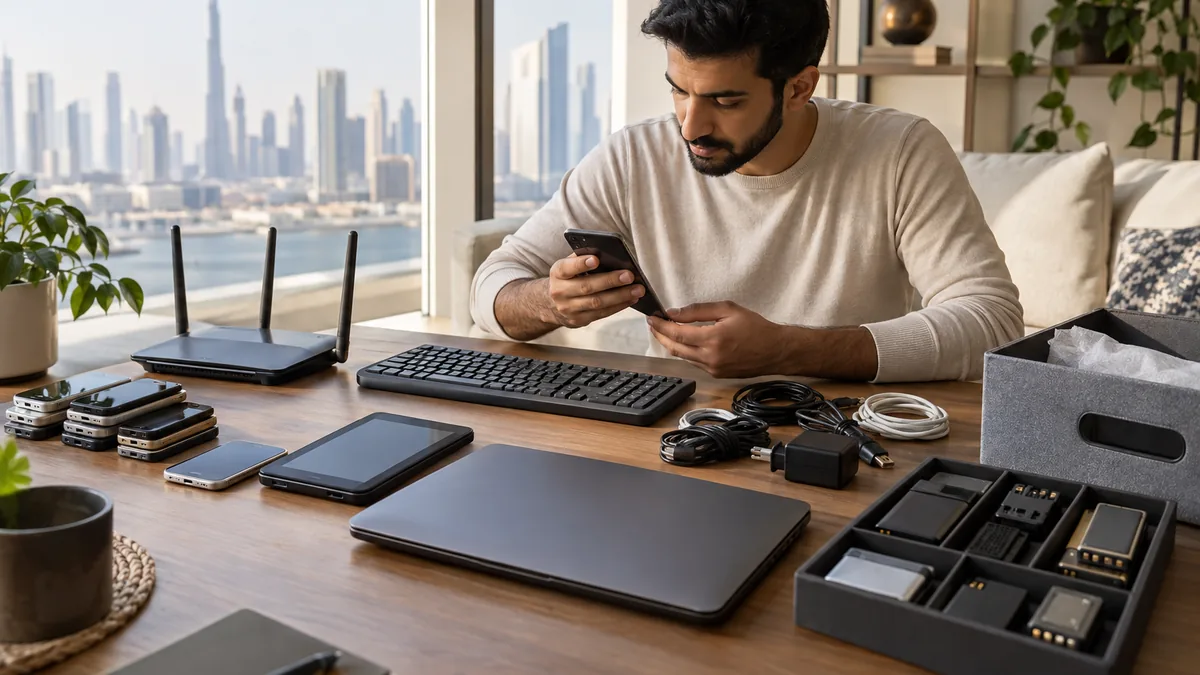
A factory reset is only one step: IT must also release device-management enrolment, activation locks, managed accounts, application licences and cellular service.
Serial numbers, asset tags, assigned users and lease status are reconciled before packing so company-owned, employee-owned and provider-owned devices never mix.
Tablets travel powered off in individual padded slots; swollen, hot or damaged batteries are isolated and declared to the receiver instead of joining the normal device case.
How do you dispose of office tablets in Dubai?
To dispose of office tablets in Dubai, freeze the asset list, preserve required business records, remove each device from mobile-device management and sign out managed accounts. Verify a factory reset, cancel cellular service, match chargers and styluses, inspect batteries, then record redeployment, lease return or transfer to an approved e-waste receiver.
A tablet may be a meeting-room controller, delivery device, reception sign-in screen or employee endpoint. Those roles create different data and ownership obligations. Clearing the visible apps without closing the cloud, carrier and management records can leave company access active or make a reusable device activation-locked.
Freeze the asset list and preserve required records
Record the asset tag, serial number, model, assigned user, SIM identity, ownership and condition before anyone resets a device or removes a label. Separate leased hardware and employee-owned tablets immediately. Export business records that retention policy requires, but do not make an uncontrolled backup simply because the device is being retired.
For shared reception, field-service or point-of-sale tablets, ask the process owner to close pending jobs and synchronise offline records. Remove payment, customer, staff or visitor data according to the organisation's approved procedure. The UAE's personal-data framework makes controlled handling relevant wherever a tablet contains identifiable information.
Do not reset before releasing management
A wiped tablet can remain enrolled or activation-locked. IT should first remove it from the MDM, zero-touch or automated-enrolment portal, release assigned licences and disable any kiosk profile, then verify that the reset reaches an unclaimed setup screen.
Close accounts, connectivity and security credentials
Revoke work accounts, certificates, VPN profiles, Wi-Fi credentials, authenticator registrations and application tokens. Sign out the platform account and disable device tracking in the correct order for that operating system. Remove memory cards and physical SIMs, cancel or reassign eSIM and carrier lines, and release paid application seats.
Use the manufacturer or enterprise reset procedure, not a third-party shortcut. After restart, verify that company apps, local files and user profiles are absent and that the device is no longer visible in management or tracking consoles. Record who verified the result and the date; a reset screen alone is not an auditable asset closure.
Inspect batteries and rebuild complete device kits
Power each tablet off and inspect the screen, rear case and seams. A lifted display, bowed chassis, unusual heat, chemical odour or pressure mark can indicate battery damage. Do not charge, press flat, puncture or open a suspect tablet. Isolate it away from heat and combustible material and obtain battery-specific instructions from the receiver.
Match sound devices with their model-correct charger, cable, dock, keyboard case and stylus. Do not put loose adapters against screens or mix visually similar power supplies. Remove a stylus cell only when the manufacturer provides a user procedure, protect accessible battery terminals, and disclose missing or damaged accessories in the asset record.
Pack for an accountable commercial handover
Place powered-off tablets upright in padded dividers and maintain a count at packing, loading and receipt. Keep chargers and accessories in matching numbered compartments. In a Business Bay tower, book the service lift and loading bay so the locked trolley does not wait in a public lobby or cross the reception route during the office rush.
The receiving record should identify quantities, serials where policy requires them, condition and destination: redeployment, lessor return, refurbishment or e-waste. A destruction or processing certificate may be appropriate for devices that carried sensitive data. Keep that evidence with the asset register rather than treating the collector's invoice as proof of data erasure.
Individual slots protect screens and make the custody count visible before the trolley leaves the controlled office area.
Decide redeployment, return or e-waste after sign-off
A supported tablet with a healthy battery can be redeployed or passed to a qualified refurbisher after reset verification. Provider-owned units follow the return contract. Unsupported, broken or battery-damaged devices require an appropriate electronics route; they do not belong in mixed office rubbish or a general packaging-recycling cage.
Is a factory reset enough before recycling an office tablet?
Not by itself. Preserve required records, release MDM and automated enrolment, remove activation locks and managed accounts, revoke credentials, close cellular service, then reset and verify both the setup screen and the management console. Your organisation's data policy may require additional evidence or physical media destruction.
What should happen to SIM cards and eSIMs?
Remove physical SIMs and reconcile them against the carrier account. Cancel, suspend or reassign each line, including eSIM profiles, through the authorised account owner. Deleting an eSIM from the tablet does not necessarily end the subscription or prevent further billing.
Can a tablet with a swollen battery be collected?
It needs a declared battery-specific plan. Stop charging and using it, do not squeeze the screen back into place, and isolate it away from heat and combustible materials. Tell the receiver the symptoms before pickup so it is not packed in the normal tablet case.
What details help quote office-tablet collection?
Provide quantities, models, ownership, reset status, battery condition and whether chargers, docks, keyboards or styluses are included. Add the office floor, lift and loading rules, security access, preferred collection window and whether other IT assets are leaving in the same project.
Planning a clearance in Dubai?
Send photos of what you need cleared on WhatsApp. Our team provides an instant, fixed upfront rate and handles elevator bookings and gate security smoothly.
Specialists in residential and commercial clearances across Dubai since 2016. Committed to safe property handovers, compliant electronic waste disposal, and municipal green waste diversion.
 Ask a Question