How to Dispose of Old Laptops & Computers Securely in Dubai
The hardware is the easy part. Sign-outs, activation locks, drive wipes and a swelling battery are what decide whether an old laptop leaves your home safely, or sits in a drawer for another three years.
Sign out of your accounts and switch off device tracking before you wipe, because an activation lock left on turns a reusable laptop into scrap nobody can refurbish.
How you erase depends on the drive: an encrypted solid state drive is effectively cleared by a reset, while an older mechanical drive needs a full overwrite or physical destruction.
Electronics are not general waste in Dubai, and a lithium battery in a bin chute or a compactor is a genuine fire risk rather than a technicality.
A swollen battery is the point at which the device stops being storable: it should not be charged, pressed, punctured, or left in a parked car in summer.
Businesses need more than a wipe. An asset list with serial numbers and a data destruction record is what makes an IT decommission auditable later.
How to dispose of an old laptop in Dubai
To dispose of an old laptop in Dubai, back up anything you still need, sign out of your accounts and disable device tracking, erase the drive properly for its type, then hand the machine to an electronics recycling point, a retailer take-back scheme, a refurbisher, or a clearance crew that routes electronics to a licensed processor. What it must not go in is the household bin.
Most people get the sequence backwards. They wipe first, discover the device is still locked to an account, and end up with a laptop that no charity or refurbisher can do anything with.
Sign out before you wipe, not after
Modern laptops, phones, and tablets tie themselves to an account so a stolen device is worthless. That protection does exactly the same thing to a donated one. A factory reset performed while the device is still linked leaves the next owner staring at a login screen, and there is no way around it from the outside.
Work through this list first, with the device still logged in and connected:
Check the authenticator before the device leaves
If your two-factor codes live only on the machine you are disposing of, wiping it can lock you out of the very accounts you need to sign out from. Move the codes to your phone and confirm they work before anything is erased.
Back up what you need, then check the backup actually opens before you rely on it. A finished backup and a working backup are not the same thing.
Turn off device tracking and activation lock in the account settings, and remove the machine from your list of trusted devices.
Sign out of the operating system account, the cloud storage client, the password manager, the browser profile, and any software licensed to that machine.
Deauthorise anything with a seat limit, including design suites, media apps, and two-factor authenticator apps that treat the device as a trusted second factor.
Pull out the SD card, the SIM tray on a laptop with cellular, and any second internal drive that came with the machine.
The wipe method depends on what kind of drive it is
A factory reset is not the same as an erase, and the difference matters more on some machines than others.
Solid state drives on current laptops are usually encrypted by default. Turning on full disk encryption if it is not already active, and then performing the built-in reset that removes the encryption key, leaves the remaining data unreadable. That is the practical standard for a home machine.
Older laptops with a spinning mechanical drive are different. Deleted files sit there until they are overwritten, so use a full overwrite tool rather than a quick format. If the machine is old enough that this is fiddly, the simpler answer is to take the drive out and keep it, and hand over the laptop without it. A missing drive lowers the resale value but removes the question entirely.
For anything that held client records, financial files, or medical information, physical destruction of the drive is the cleaner outcome, and any serious recycler will shred drives on request rather than just wipe them.
Is it illegal to throw electronics in the bin in Dubai?
Electronic waste is handled as a separate stream in Dubai rather than as general household rubbish, and it should be presented for collection or drop-off accordingly rather than dropped in a residential bin. Dumping waste outside the proper channel is an offence that carries fines, and building management in most towers will act on it well before the municipality does.
There is a physical reason behind the rule as well as a regulatory one. Lithium batteries that get crushed inside a bin chute or a compactor start fires, and a fire in a refuse room in a high-rise is a serious incident, not an inconvenience. That risk is why electronics stay out of the bin even when the device is small enough to fit.
Old electronics do not belong in any of these streams, including the recycling bin, and the batteries are the reason.
The swollen battery nobody plans for
Laptops that have sat in a cupboard for a few years, especially in a villa storeroom or an unairconditioned garage, often come out with a lifted trackpad or a case that no longer closes flat. That is the battery expanding, and it changes the job.
A swollen cell should not be charged, squeezed, prised out with a screwdriver, or carried loose in a bag. Dubai summer makes it worse: a parked car in July reaches temperatures far beyond anything a lithium cell is rated for, so the boot is the last place to store a device you are taking somewhere for disposal.
Handle it as a single job. Put the laptop in a rigid box on its own, keep it somewhere cool and away from anything flammable, tell whoever collects it that the battery is swollen, and move it once, directly to a facility that handles batteries.
Choose reuse or recycling after the device is prepared
Once accounts, storage, and batteries are handled, judge the device on function. An unlocked working laptop with a charger may suit resale, trade-in, or refurbishment. A dead, damaged, or obsolete unit belongs in an electronics recycling stream, not a household bin.
For current municipal collection points, device categories, and trip preparation, use the dedicated electronics recycling guide. This article stays focused on the data and battery work that must happen before any handoff.
What a business decommission needs that a household does not
Clearing twenty laptops out of an office is a different exercise from clearing one out of a bedroom, and the difference is paperwork rather than logistics.
Build the asset list before anything is boxed: make, model, serial number, and the name of whoever last held the device. Serial numbers are what let you prove later that a specific machine was disposed of rather than lost, and they are the first thing an auditor or an insurer asks for. Devices leaving in an unlisted pile are the ones that reappear as a problem.
Ask for a data destruction record covering the drives, keep it with the asset list, and separate anything still under lease or finance before collection day, since leased hardware usually has to go back rather than out. If the decommission is part of a wider office clearance, the electronics should be handled as their own workstream inside it, not swept up with the furniture on the last afternoon.
Clearing electronics with the rest of a move
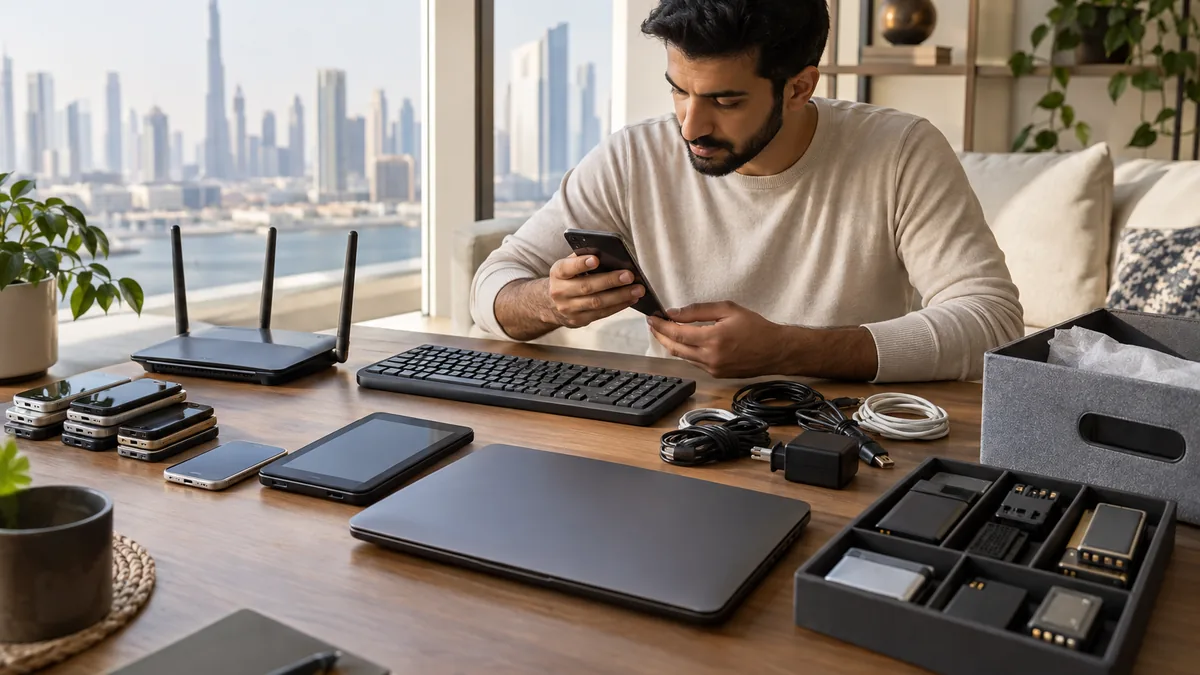
Most old laptops in Dubai are not disposed of on their own. They surface during a move-out, a downsizing, or an office relocation, in a drawer with three chargers and a dead external drive.
If that is your situation, deal with the accounts and the drives first, at your own pace, and let the collection happen with everything else. Send photos on WhatsApp of what you have, including anything with a swollen battery, and we will keep the electronics separate from the general load so they reach a processor rather than a tipping face.
Frequently Asked Questions
How do I dispose of a laptop that will not switch on?
Treat the drive as the risk, since a dead laptop usually has intact data on it. Have the drive removed and either kept or destroyed, then send the rest for recycling. If the machine will not power on because the battery has swollen, say so when arranging collection so it is handled as a battery job.
Can I donate an old laptop in Dubai instead of recycling it?
Yes, if it still runs reasonably and you have signed out of every account and removed the activation lock. Refurbishers and community programmes generally want machines under about five years old with a working screen and charger. Anything locked, cracked, or badly swollen is a recycling job rather than a donation.
What about old routers, printers, and phones?
All of them count as electronics. Routers store your Wi-Fi credentials and network settings, office printers often hold scanned documents in memory, and phones hold everything. Reset each one to factory settings before it leaves, and take the SIM and memory card out of any handset yourself.
Do I need to take the hard drive out before handing a laptop over?
Not usually, if the drive is encrypted and you have done a proper reset. Removing it is a reasonable extra step for machines that held sensitive work files, and it is the simplest option for older mechanical drives where a thorough overwrite is slow and hard to confirm.
Planning a clearance in Dubai?
Send photos of what you need cleared on WhatsApp. Our team provides an instant, fixed upfront rate and handles elevator bookings and gate security smoothly.
Tags:#How to Dispose of Old Laptop Dubai#Data Safe Electronics Disposal Dubai#E-Waste#Lithium Battery Safety
Dubai Junk Collection Editorial Team
Operations & Pricing Specialists
Specialists in residential and commercial clearances across Dubai since 2016. Committed to safe property handovers, compliant electronic waste disposal, and municipal green waste diversion.
 Ask a Question