How to Dispose of Video Conferencing Equipment in Dubai: Room Licences, Ceiling Microphones and Wall Displays
Remove each device from its management portal and release room licences, factory reset cameras, video bars and panels, check lease or integrator ownership, then take down displays and ceiling microphones with building approval before resale or e-waste.
Meeting room devices are registered to room accounts and licences, so IT removes them from the management portal before anything is unplugged.
Much meeting room AV is leased or supplied under an integrator contract, so check asset tags and agreements before treating any of it as yours to sell or scrap.
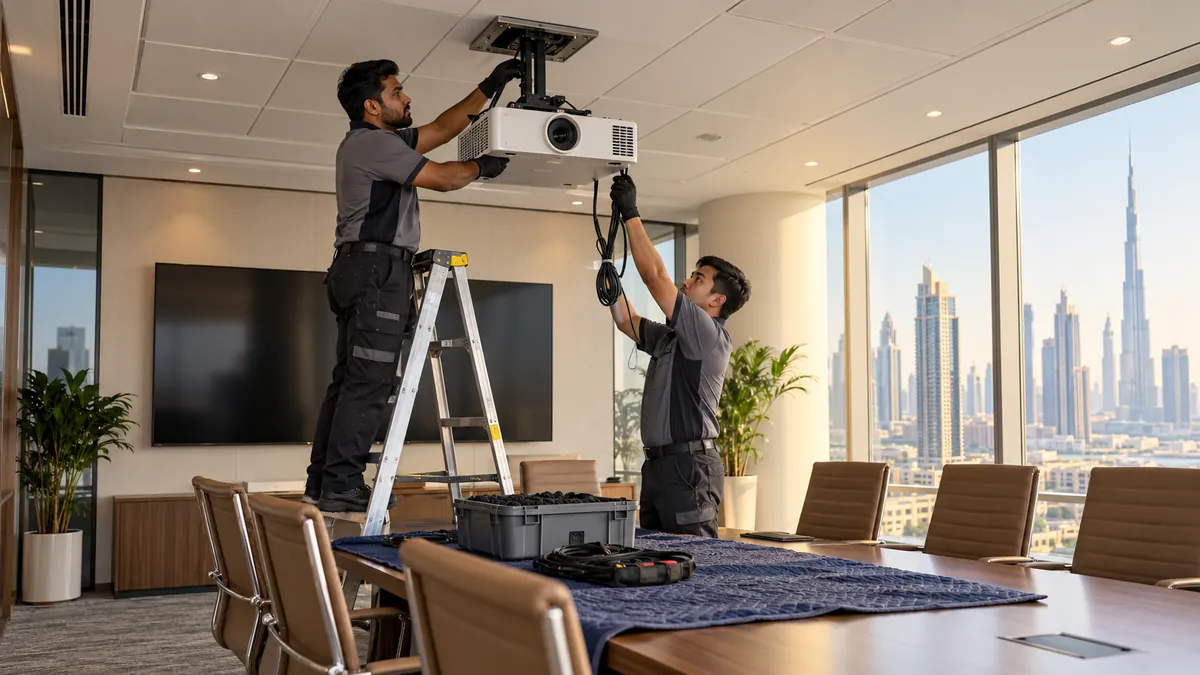
Wall displays and ceiling microphones are fixed into the fit-out, so taking them down is planned ceiling and wall work, not a quick unplug-and-carry.
How do you dispose of video conferencing equipment in Dubai?
To dispose of video conferencing equipment in Dubai, remove each device from its management portal and release room licences, factory reset cameras, bars and panels, and check lease or integrator ownership. Then take down wall displays and ceiling microphones with building management's approval and send everything to documented e-waste or resale.
A modern meeting room is a small network of devices: a video bar or camera above the screen, microphones in the table or ceiling, a touch controller on the table, a booking panel outside the door, one or two large displays, and a rack or cabinet of switching and power gear hidden in a credenza. It usually comes out during a relocation, a fit-out strip or a platform change, and each part carries its own risk.
Release licences and reset every device
Start with IT, not the removal crew. Most room systems are enrolled in a vendor or collaboration-platform management portal and signed in to a dedicated room account that carries a licence. Remove each device from the portal, unassign or reassign the licence, and disable the room account or move it to the new office. A device that is unplugged without this step can keep its enrolment and stay linked to your tenant.
Then factory reset each item according to its manufacturer's instructions: video bars, cameras, touch controllers and scheduling panels. These hold network settings, Wi-Fi credentials, the room calendar and sometimes call history. Record the serial number and reset date of each one in the asset list, so the disposal record shows what was cleared and when.
Check who owns the room kit
Meeting room AV is often leased, financed or supplied as part of a managed-service contract with an integrator. Look for asset tags and check the agreement before selling anything. Leased equipment is returned under the contract terms, and the integrator may want to collect it themselves.
Take down displays and ceiling microphones properly
Large meeting room displays are heavy, wide and fragile, and they hang on wall mounts bolted into blockwork or into reinforced partitions. Two people lift the screen off the mount, keep it upright and carry it face-out with the glass padded. Put the original boxes to use if you still have them. Never lay a large panel flat on its face, since that is how screens crack in transit.
Ceiling microphone arrays and speakers sit in or hang from ceiling tiles, with cables and power running above. Most commercial towers require a work permit or an approved contractor for anything above the ceiling, so agree the scope with building management before work starts. Decide with the landlord whether mounts, back boxes, floor boxes and cable runs stay for the next tenant or are removed and the walls and ceiling made good.
Route each part to resale or e-waste
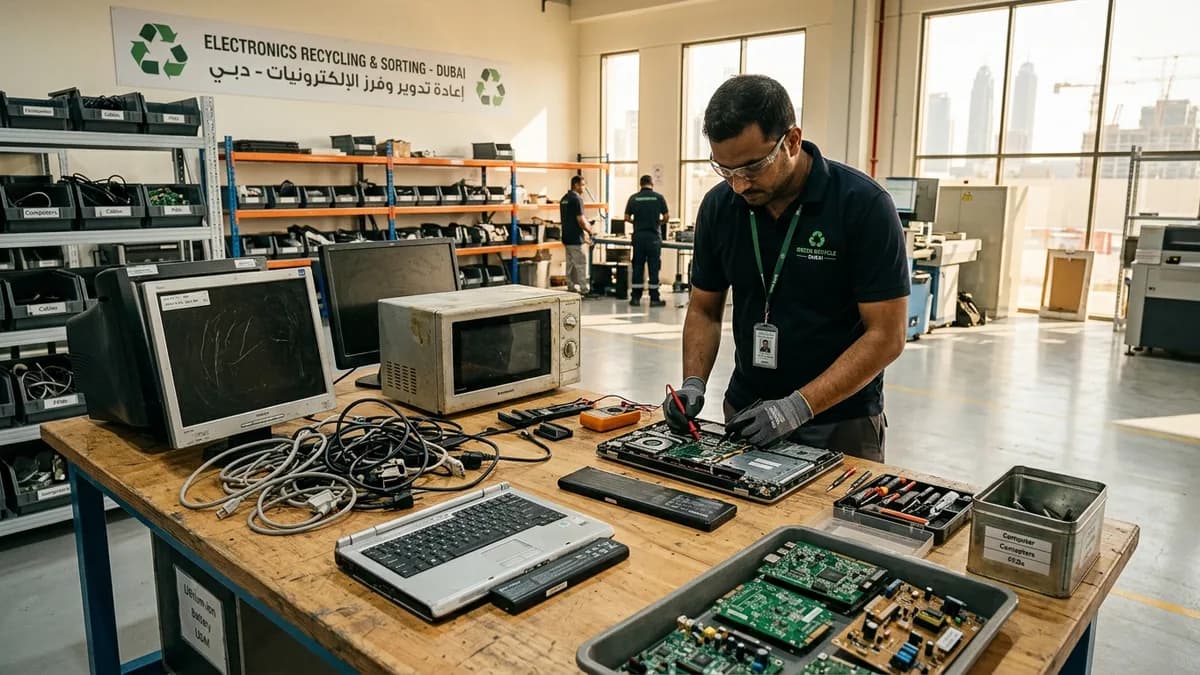
Recent video bars, cameras, controllers and commercial displays in good condition have resale value with AV dealers and other businesses fitting out rooms, provided they have been reset and released from their accounts. Older codecs, analogue microphones, outdated control processors, HDMI extenders and bundles of cable are worth little and belong with a commercial e-waste receiver who issues a transfer note.
Keep batteries out of the general load. Wireless microphones, presentation clickers and some touch controllers contain rechargeable cells that go to battery recycling, and the rack may hold a small UPS. Pack cameras and controllers in padded crates, label each crate with the room it came from, and keep the asset list with the load so nothing is lost between floor and truck.
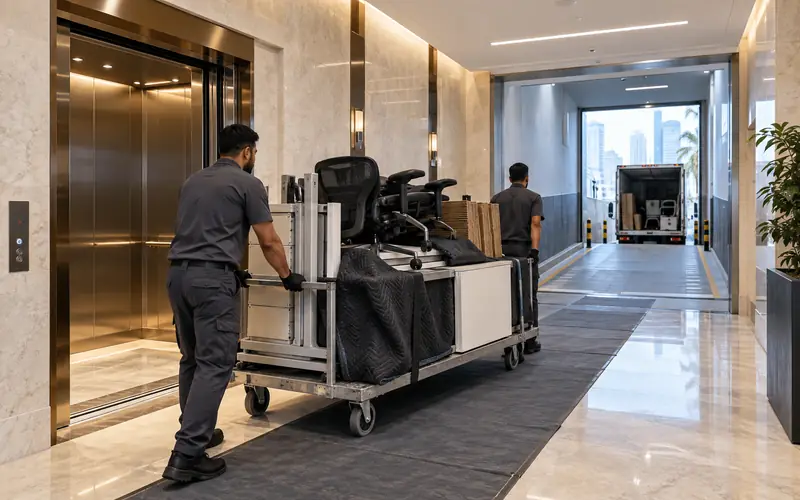
Padded, labelled loads move from the lift to the loading bay in one pass, which keeps building access time short.
Plan meeting room clearance with the wider move
Meeting rooms usually clear in the same window as the rest of the office, and building loading bays and service lifts work to booked slots and permitted hours. Strip the AV first, then the tables and chairs, so heavy furniture is not moved over loose cables. Leave the room photographed and empty for the landlord's handback inspection.
Most room cameras and video bars stream live and do not keep recordings, which are usually stored in the cloud platform. They do hold settings, network credentials and sometimes call logs, so they still need a factory reset. Check the platform's recording retention separately with IT.
Can meeting room displays be reused as office TVs?
Often, yes. Commercial displays work as digital signage, reception screens or training-room monitors after a reset. Check that the display does not rely on a removed control system or a specific video bar to switch on, and keep the remote and mount brackets with it.
What happens to cables and floor boxes?
Loose cables, adapters and extenders go to e-waste. Floor boxes, back boxes and cable runs inside walls and raised floors are part of the fit-out, so the lease and the landlord decide whether they stay or are stripped out and made good before handover.
What details help quote meeting room AV collection?
List the number of rooms, displays and their sizes, cameras, racks and ceiling microphones, and say whether IT has reset the devices. Mention whether displays are still on the wall, the building's loading bay rules and the dates the office must be empty.
Planning a clearance in Dubai?
Send photos of what you need cleared on WhatsApp. Our team provides an instant, fixed upfront rate and handles elevator bookings and gate security smoothly.
Tags:#Video Conferencing Equipment#Meeting Room AV#Office IT Disposal#Commercial E-Waste
Dubai Junk Collection Editorial Team
Operations & Pricing Specialists
Specialists in residential and commercial clearances across Dubai since 2016. Committed to safe property handovers, compliant electronic waste disposal, and municipal green waste diversion.
 Ask a Question