How to Dispose of an Office Label Printer in Dubai: Accounts, Rolls and E-Waste
Remove queued jobs and saved templates, release the printer from management systems, clear labels and ribbons, inventory adapters and batteries, then return leased units or document their reuse and e-waste transfer.
Networked label printers can retain Wi-Fi settings, address books, templates and queued jobs, so IT clears them and releases management records before collection.
Direct-thermal labels, transfer ribbons and backing liners are different materials; remove them from the printer and follow the supplier or receiver's current acceptance rules.
Adapters, cables, cutters, batteries and label holders stay tied to the correct asset, while leased or managed devices return through their provider rather than an office-clearance load.
How do you dispose of an office label printer in Dubai?
To dispose of an office label printer in Dubai, stop print jobs, export required templates, clear stored settings and remove the device from management systems. Empty label and ribbon media, isolate accessible batteries, inventory adapters and cables, then return leased units or record their reuse or transfer to commercial e-waste.
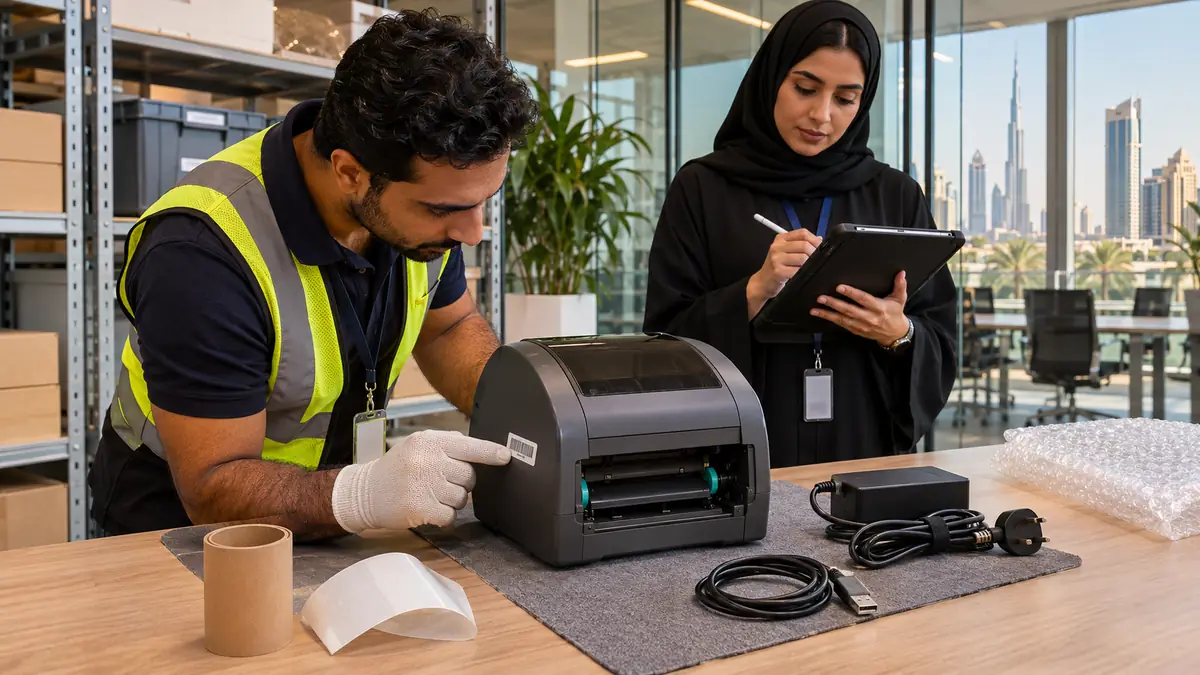
A desktop label printer is not merely a smaller office printer. Thermal models may have no ink or toner at all, yet they can hold warehouse addresses, patient or customer templates, network credentials and a sharp powered cutter. The right retirement sequence starts with business data and ownership before facilities packs the hardware.
Close queues, templates and device accounts
Pause new jobs, cancel the queue and let the business owner identify any regulated label format that must be retained. Export approved templates to controlled storage. Remove the printer from warehouse, retail, courier or device-management software, release its licence where applicable, and delete saved Wi-Fi, Bluetooth pairings, address books and credentials using the manufacturer procedure.
Factory reset the printer and record its asset number, serial number, reset date and responsible person. A reset does not replace the organisation's retention policy: print-server logs, cloud templates and transaction records may live elsewhere. IT or the system owner confirms those records before the hardware leaves controlled custody.
Used ribbon can reveal printed information
A thermal-transfer ribbon may retain a legible negative image of every label it produced. Treat used ribbons according to the information on them and the organisation's destruction policy; do not place sensitive rolls in an open recycling bin.
Remove media and make the mechanism safe
Power off, unplug the adapter and allow the print head to cool. Open the cover using its normal latch, then remove the label roll, liner and thermal-transfer ribbon if fitted. Do not scrape the print head or reach into an automatic cutter. Close and latch the cover for transport, and disclose a jammed cutter rather than forcing it by hand.
Separate unused label stock for the next compatible machine. Direct-thermal paper, adhesive labels, silicone-coated backing liners and resin or wax ribbons do not share one automatic recycling route; acceptance depends on material and local receiver. Keep each stream clean and ask the supplier or waste contractor instead of putting mixed rolls into office-paper recycling.
Check ownership and inventory every accessory
Confirm whether each printer was purchased, leased or supplied as part of a courier, point-of-sale or managed-print contract. Provider-owned units and proprietary batteries follow the contract return process. For owned assets, match the power adapter, USB or network cable, roll spindle, media guides and optional peelers or cutters to the serial number.
Remove a user-accessible rechargeable battery only by the manual and protect its terminals. Do not prise open a sealed mobile printer. Photograph damage, swollen batteries, cracked covers or missing adapters, and keep a chain-of-custody list when several branches or departments contribute equipment to one clearance.
Serial-number control keeps each printer, adapter and approved battery route together before the documented office e-waste transfer.
Test reuse or document the e-waste transfer
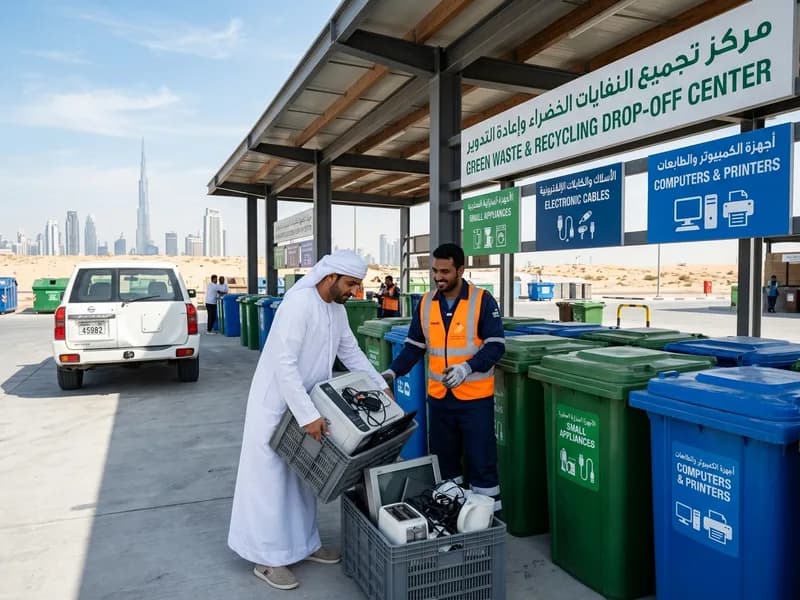
A supported printer with a clean head, complete adapter and reliable feed can move to another site or resale after the reset is verified. Test a non-sensitive sample label and every connection method in scope. Disclose worn rollers, pale print, cutter faults and discontinued drivers so the recipient can make an informed decision.
Some do. Network settings, templates, address books, job queues and usage logs may remain in the printer, print server or cloud platform. The system owner should identify those locations, preserve required records and verify the reset before release.
Can label backing liner go in office-paper recycling?
Do not assume so. Many liners have a silicone release coating and may need a specialist programme. Ask the label supplier or receiving recycler about the exact liner; keep it out of ordinary paper unless they explicitly accept it.
What should happen to a used thermal-transfer ribbon?
Assess the information visible on it. A used ribbon can preserve a readable negative image, so sensitive rolls may require controlled destruction under company policy. Non-sensitive ribbon still follows the receiver's material rules, not automatic paper recycling.
What details help quote a label-printer collection?
Provide quantities, desktop or mobile models, ownership status, site and service-lift access, and whether IT has reset them. List batteries, adapters, unused media, damaged cutters and other office electronics leaving in the same window.
Planning a clearance in Dubai?
Send photos of what you need cleared on WhatsApp. Our team provides an instant, fixed upfront rate and handles elevator bookings and gate security smoothly.
Specialists in residential and commercial clearances across Dubai since 2016. Committed to safe property handovers, compliant electronic waste disposal, and municipal green waste diversion.
 Ask a Question