How to Dispose of Biometric Attendance Machines in Dubai: Fingerprint Data, Door Locks and E-Waste
Export the attendance records HR needs, delete enrolled fingerprints and face templates, reset each terminal, have the installer make linked doors safe, separate backup batteries and use documented e-waste.
Attendance terminals store employee fingerprints or face templates, names, ID numbers and clock-in logs, so they need a documented wipe before leaving the office.
Export the attendance history HR and payroll must keep, then delete users and templates and reset each device through its admin menu.
Terminals wired to door locks and access-control power supplies need the installer to make the door safe before anything is unscrewed.
How do you dispose of biometric attendance machines in Dubai?
To dispose of biometric attendance machines in Dubai, export the attendance records your business must keep, then delete every enrolled user, fingerprint and face template and reset each terminal. Have the access-control installer disconnect any linked door lock, separate backup batteries and power supplies, and send the units to documented commercial e-waste.
Fingerprint and face terminals are fixed to the wall beside the entrance of most Dubai offices, warehouses and clinics, and they are easy to forget during a move because they are not on anyone's desk. Each one is a small database of people. It holds the biometric templates of current and former staff, their employee numbers and months of clock-in and clock-out times.
Treat the stored data as sensitive
Biometric data is treated as a sensitive category of personal data under the UAE's federal data protection law, and companies registered in DIFC follow the DIFC's own data protection regime. Whichever applies, a terminal handed on with its user list intact discloses information the company collected for one purpose only. Ask the data protection lead or legal adviser what your obligations are before the clear-out.
List every device first: model, serial number, location and whether it is a standalone attendance clock, part of an access-control system or linked to cloud HR software. Branch offices, warehouse gates and staff accommodation entrances are commonly missed. Match the list to the asset register so the final transfer note accounts for each one.
Export, delete and reset each terminal
Download the attendance logs to the attendance or payroll software and confirm HR has what it needs under the company's retention policy, since timesheets often support payroll and leave records. Then remove the terminal from the software or cloud account so it stops syncing, and revoke any admin passwords or API keys it used.
On the device, use the admin menu to delete all users, fingerprints, face and card data, then clear the attendance logs and run the factory reset or initialise option the manufacturer provides. Take out any memory card or USB stick. Photograph the empty user count and the reset confirmation screen for each serial number and keep the photos with the IT sign-off.
A terminal off the wall can still be a door key
Units that control a door may keep valid user credentials and lock settings until they are reset. Do not let any terminal leave the premises, including for resale or donation, until its data has been deleted and the reset is recorded.
Make linked doors safe and separate the batteries
A plain attendance clock is mounted on a bracket with a few screws and powered by an adapter or a PoE network cable. An access-control terminal is also wired to an electric door lock, an exit button and often a fire-alarm release, through a power supply box that contains a sealed backup battery. Pulling those wires can leave a fire exit locked or a door permanently open, so the installer or building's access-control contractor should disconnect it.
Once the door is made safe, lift the terminal off its bracket and note that many have a tamper switch that sounds an alarm when removed. Take the sealed lead-acid batteries out of the power supply boxes, protect the terminals with tape and route them to battery recycling. Band power adapters and PoE injectors separately, and bag the brackets with their screws for the e-waste receiver.
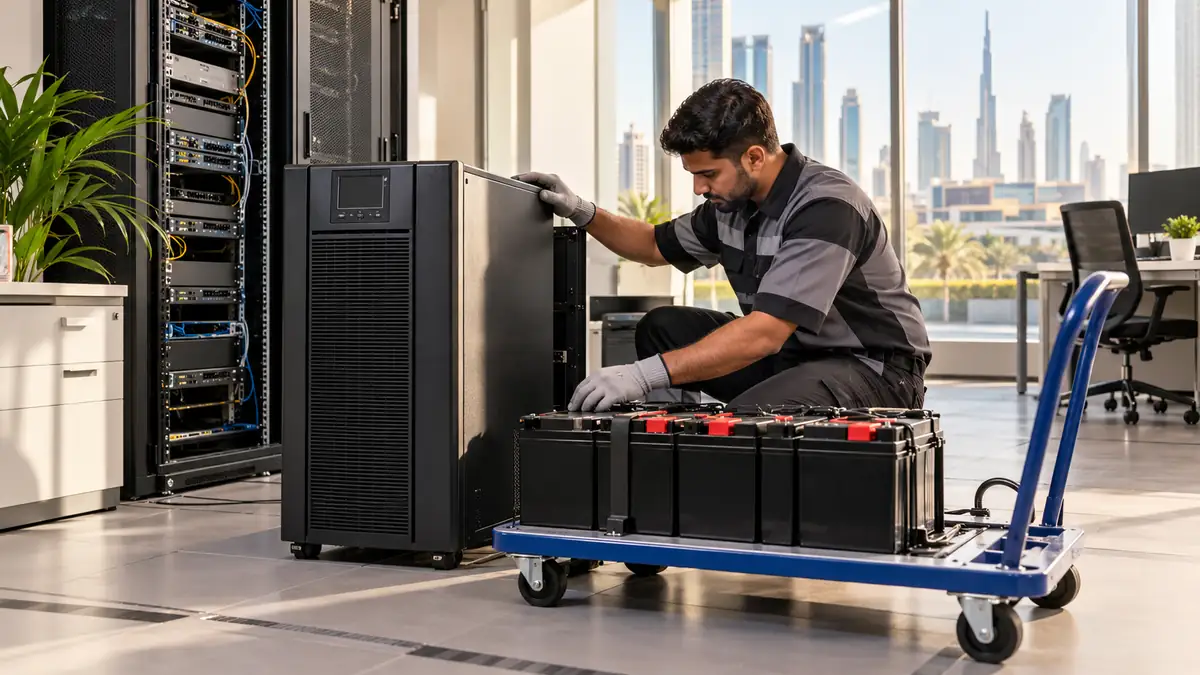
Backup batteries from access-control power supplies are capped and packed separately so they reach a battery recycling route intact.
Choose a documented route and make good the wall
Reset terminals that still work can go back to the supplier, to an installer who refurbishes them or to another site in the same group, if the company approves. Older units, ones with damaged sensors or ones that the attendance software no longer supports belong with a commercial e-waste receiver that issues a transfer note. Keep that note with the reset photos and the asset list.
Does a factory reset remove fingerprints from the device?
On most terminals a full reset or initialise function clears users, templates and logs, but menus differ between models and some resets only restore settings. Delete users and data first, then reset, and check the user and record counts read zero before signing it off.
Can we sell used fingerprint attendance machines?
Yes, once data has been deleted, the device is reset and it has been removed from your software account. Sell through a supplier or installer who can confirm compatibility for the buyer. Never pass on a unit that still shows enrolled users or old attendance logs.
Who removes the electric lock on the office door?
Usually the access-control installer or the building's approved contractor, because the lock may be tied into the fire-alarm system. Check the fit-out handover requirements with building management, since some landlords want the door returned to a plain handle and closer.
What details help quote attendance machine collection?
Say how many terminals, power supply boxes and batteries are involved, whether doors have already been made safe and whether brackets are still on the wall. Mention the floor, loading-bay or service-lift booking and whether you need a transfer note.
Planning a clearance in Dubai?
Send photos of what you need cleared on WhatsApp. Our team provides an instant, fixed upfront rate and handles elevator bookings and gate security smoothly.
Tags:#Biometric Attendance Machines#Access Control Disposal#Office E-Waste#Data Protection
Dubai Junk Collection Editorial Team
Operations & Pricing Specialists
Specialists in residential and commercial clearances across Dubai since 2016. Committed to safe property handovers, compliant electronic waste disposal, and municipal green waste diversion.
 Ask a Question